
Included with qualifying home inspections

Meet Johnni.Your home’s personalized guide.

Your inspection report is only the beginning. Johnni turns it into a living home profile, a practical maintenance plan and useful guidance you can return to throughout homeownership.

Built fromYour inspection
Made forYour home
IncludedNo added charge
Johnni personalized home dashboard in the Inspect Canada app

How it works

From inspection day to everyday homeownership.

Johnni connects to the information already collected during your inspection, so you start with a useful home profile instead of an empty app.

  1. Book your inspection

    Choose a qualifying Inspect Canada home, townhouse or condo inspection. Johnni is included at no additional charge.

  2. Receive your report

    After the inspection, your inspector publishes the report and the known details about your home.

  3. Open the Johnni app

    Download the app and sign in with the email address connected to your inspection so Johnni can find your home.

  4. Keep using Johnni

    Review findings, follow your maintenance plan, explore tools and keep your home profile useful after inspection day.

Tip: sign in with the same email address used for the inspection. That is how Johnni finds the correct report and home profile.

What Johnni does

One home. One organized place to understand it.

Your home profile

Your inspection becomes a home profile you can keep using.

Johnni organizes your report, known property details, equipment and inspection context in one place. You can return to it when a question comes up instead of searching through old files.

  • Inspection report and findings together
  • Known home and equipment details
  • Answers that use your home’s context
Johnni Home Profile showing property details built from a home inspection

Tasks and maintenance

Know what matters now and what can wait.

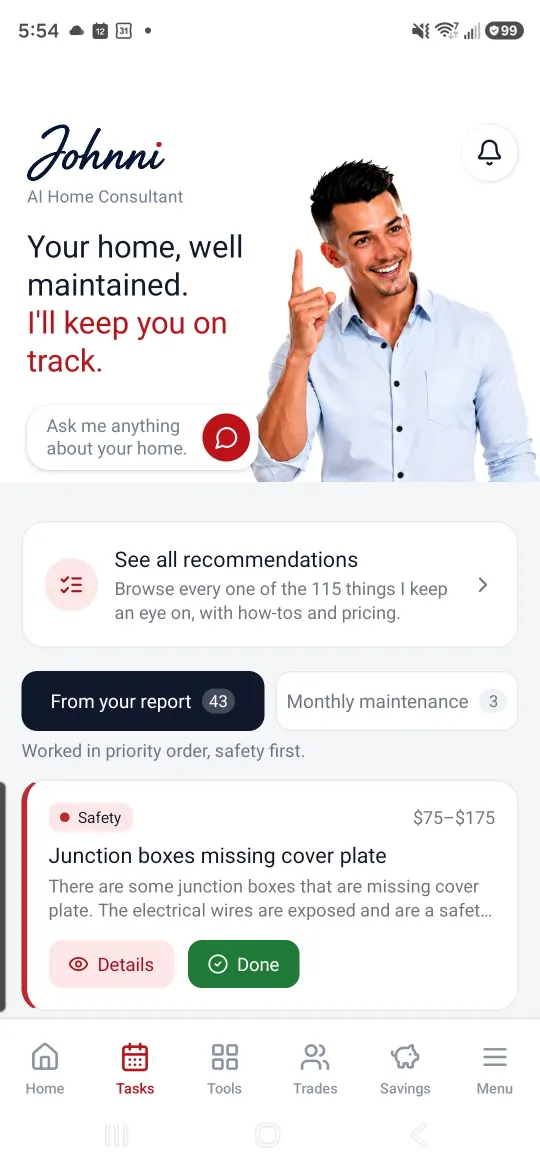
Johnni separates inspection priorities from routine maintenance and organizes both around your home. The plan changes from a long report into manageable next steps.

  • Inspection items organized by priority
  • Routine work scheduled for your home
  • Reminders you can act on later
Johnni Tasks page showing inspection findings and monthly home maintenance

Homeowner tools

Get useful context when a home question comes up.

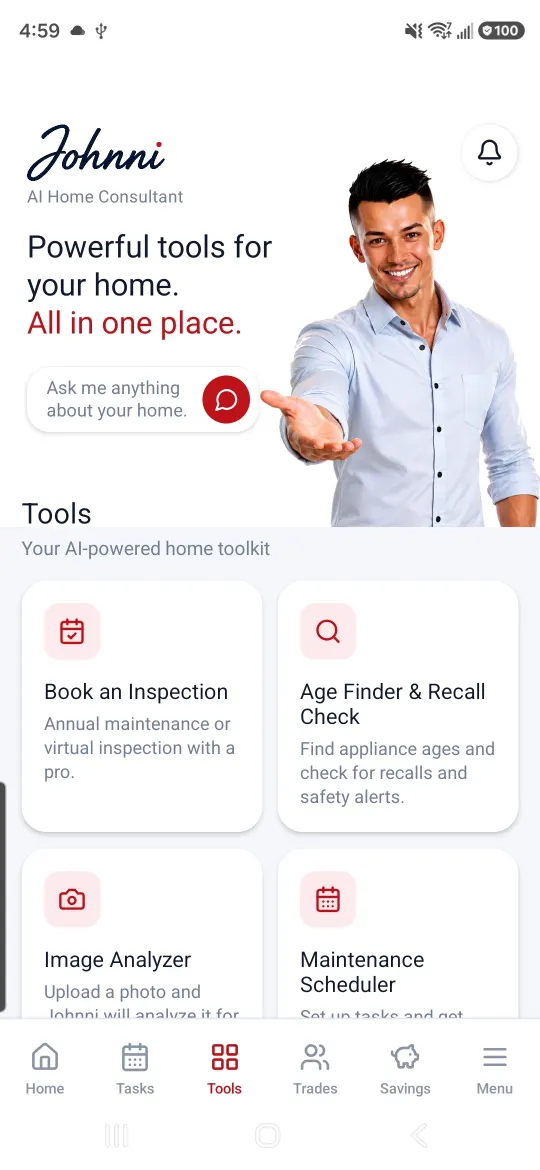
Explore repair-cost guidance, analyze a photo, identify equipment age and check available recall information. Johnni helps you understand the next sensible step without pretending every issue is an emergency.

  • Repair-cost guidance for report findings
  • Photo identification and problem checks
  • Equipment age and recall information
Johnni Tools page showing repair guidance, Age Finder and photo analysis

Trusted help

When work needs a professional, start with the right trade.

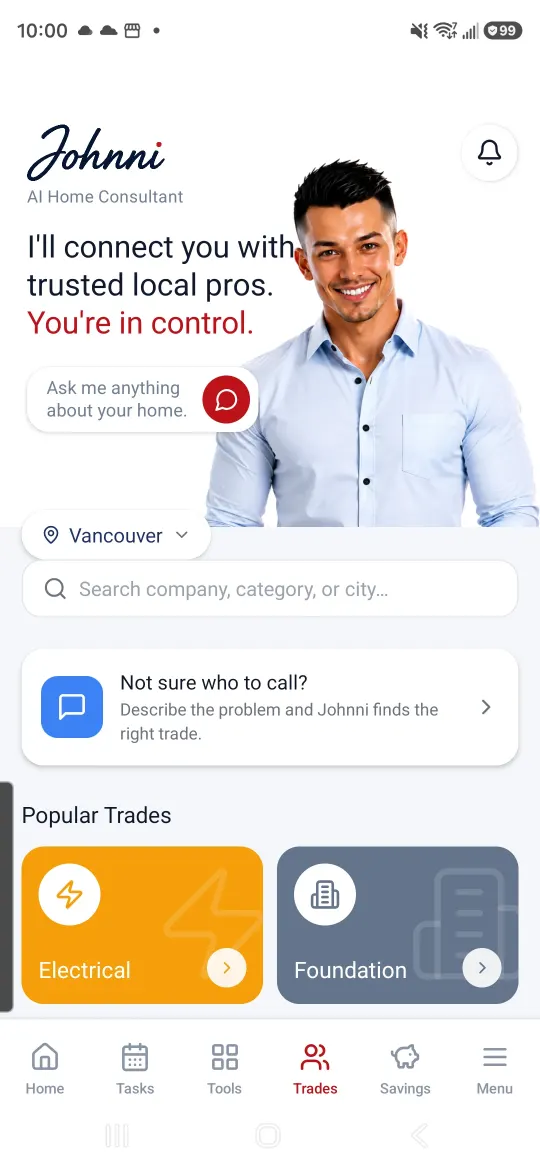
Johnni helps explain which kind of professional fits the job and lets you browse local providers. You remain in control of whether and when to contact anyone.

  • Guidance toward an appropriate trade
  • Local professional directory
  • No provider is contacted without your action
Johnni Trades page showing local home service professionals and trade categories

Homeowner savings

Keep finding value after inspection day.

See available moving, insurance, communications and home-service benefits from participating providers. Offers and availability can change, so the app shows the current details.

  • Moving and home setup offers
  • Insurance and communications benefits
  • Home-service savings when available
Johnni Savings page showing available homeowner benefits

There when you need it

Johnni follows the homeowner journey.

The value of an inspection should not disappear when the transaction closes. Johnni keeps the important information useful as the home changes.

  1. 01Before possessionUnderstand the inspection findings and the important questions to ask.
  2. 02On move-in dayUse a practical walkthrough and get the home’s essential details organized.
  3. 03Month by monthFollow a maintenance plan shaped by the home and its inspection.
  4. 04When something changesUse the tools to identify, understand and plan the next step.
  5. 05Every yearKeep the profile current and consider an annual maintenance inspection.

Use Johnni for

Understanding, organizing and planning.

  • Revisiting inspection findings in plain language
  • Building an ongoing maintenance routine
  • Exploring likely costs and appropriate next steps
  • Keeping useful home information together

Keep in mind

Johnni supports professional advice. It does not replace it.

Your signed inspection report and inspector remain the authoritative sources for the inspection. For urgent safety concerns, emergencies, permits, legal questions or repairs, use the appropriate qualified professional or emergency service.

Already had your inspection?

Your home profile may already be waiting.

Download the Inspect Canada app and sign in with the email address used for your inspection.

Available for iPhone and Android. Use the same email connected to your inspection.

Johnni questions

Frequently asked questions

Is Johnni free?

Johnni is included at no additional charge with qualifying Inspect Canada home, townhouse and condo inspections. Optional third-party services, repairs and provider offers are separate.

How do I get my home into the app?

Use the same email address connected to your inspection when you sign in. After the report is published, Johnni can connect the inspection information to your home profile.

Does Johnni replace my inspector or inspection report?

No. Your signed inspection report and your inspector remain the authoritative sources for the inspection. Johnni makes the information easier to revisit and helps with ongoing homeownership.

Can Johnni arrange repairs automatically?

No. Johnni can help you understand the type of professional a job may need and browse local providers, but a provider is not contacted unless you choose a contact or request action.

Can I keep using Johnni after I move in?

Yes. Johnni is designed to remain useful after the transaction with your home profile, maintenance plan, report information and homeowner tools.

What if my inspection is not showing?

First confirm that you signed in with the email used for the inspection. If it is still missing, include the property address when you contact our team.Contact Us →

Is my home information private, and can I delete it?

Your Johnni home profile is available only through your signed-in account and is not published as a public profile. You can delete your Inspect Canada account from inside the app at any time. Associated personal app data is removed, while certain inspection reports and payment records may be retained when required for regulatory, insurance, tax or accounting purposes.Read our Privacy Policy →

Start with an inspection that keeps helping.

Get a thorough inspection, a clear same-day report and your personalized Johnni.